Skip to content
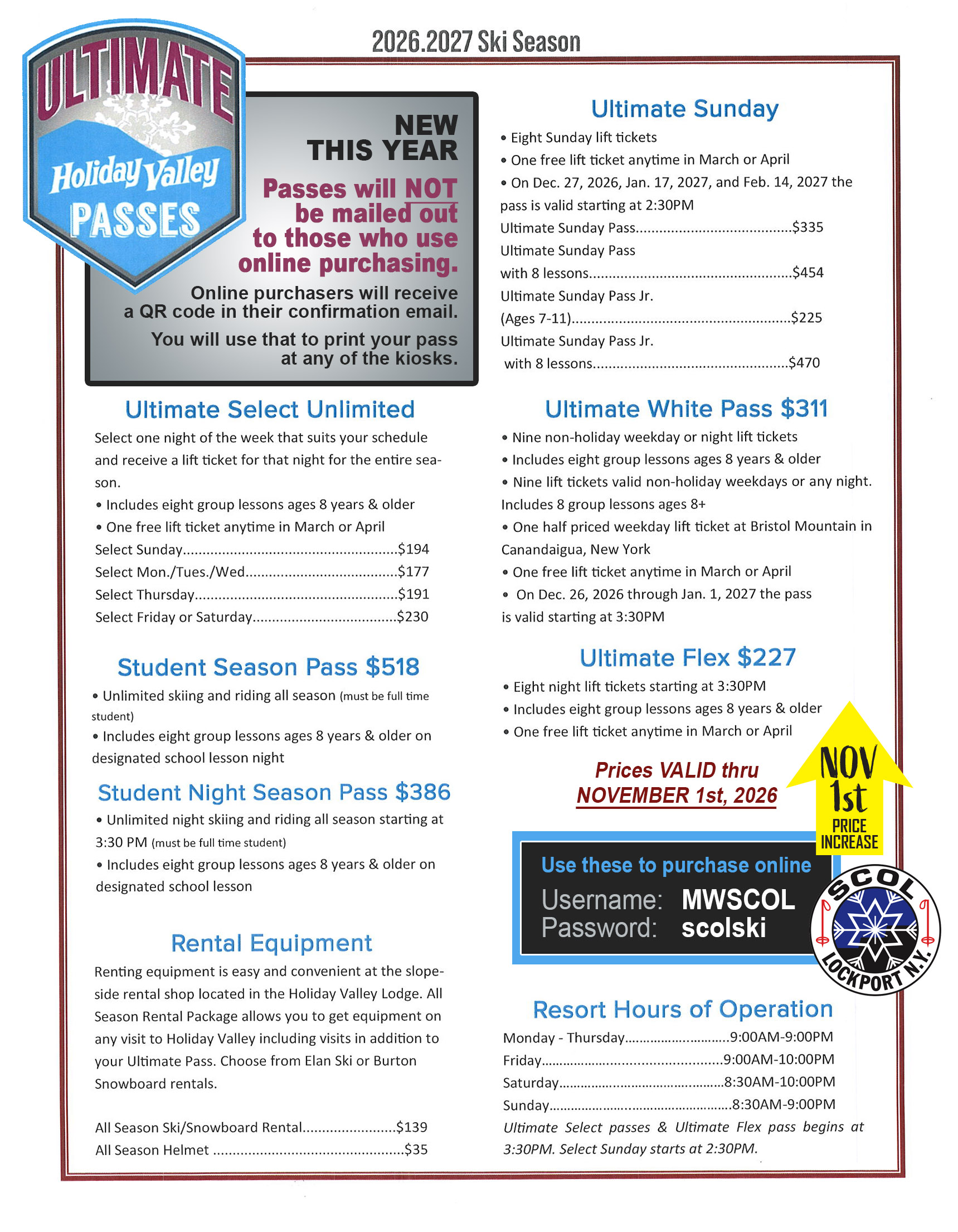
Please reviewed the PASS info sheet below.
When you are ready to make your purchase, follow the 10-easy steps provided.
Remember to enter username & password as written, it is case sensitive.
- LOGIN by clicking on the “Ultimate Pass” image below
- Username: MWSCOL
- Password: scolski
- Click the ULTIMATE PASSES image
- Select your PASS
- Choose your ticket and enter quantity
- Sign In using YOUR account information, or create an account if you do not have one
- Continue as prompted
- Sign Waiver
- Continue to checkout
FOR QUESTIONS
Please contact SCOL Member MITCH MILLER at skicat0@gmail.com
